

My favorite thing about Claude Code isn't MCP servers, or any of the flashy stuff that dominates the conversation. It's planning. And I think the reason nobody talks about it much is precisely because it's gotten so good that it just... disappears into the workflow.
When Plans Were Just Plans
All AI coding tutorials explained the importance of planning from day 1. In the case of Aider and Cursor, the approach was generating a markdown file that contains the planning. And this is still how it works. But producing the right planning depends on the model, and the requirements.
The first version of Claude Code already had the planning phase feature. You'd get a few pre-made answer options, or you could type your own response. The plan now had a nice UI and workflow. The models ask some requirement clarification questions.
Why Planning Is the Real Game
Claude Code was never really about being an IDE. From the very beginning, it was a CLI tool that you could invoke with a -p flag and let it run. The original vision was code automation. And when you automate the writing of code, something interesting happens: the human's job shifts almost entirely to design and planning. (Of course the responsibility of the decision is still on us, so maybe not line by line, but we need to verify the generated code.)
Every senior developer knows the hard part was never typing the code. It's figuring out what to build and how to structure it. Requirements, scope, because it is easy to forget, but the role of good design is finding the architecture and necessary changes to satisfy the requirements while keeping the code flexible for future requirements.
With Claude Code handling implementation, planning didn't just stay important. It became the thing.
The Superpowers Plugin Is Just Too Smooth
Here's where I need to be precise about the story. The smooth, conversational planning experience I'm about to describe isn't vanilla Claude Code planning mode — it's powered by the Superpowers plugin for Claude Code, specifically its /brainstorm skill.
Superpowers is a community-built skill pack for Claude Code (by Jesse). You install it through Claude Code's skills system, and it adds a set of custom slash commands to your sessions. The star of the show is /brainstorm — a skill purpose-built to replace the old structured planning flow with something that actually feels like thinking out loud with a colleague who has read your entire codebase. The new features also contain a visual part that makes visual design decisions easier. It is a mini web UI that shows alternatives — for example UI element designs — and you can pick the one you like.
This is the newest version of planning in the Claude Code ecosystem, and the one worth talking about.
The Conversation That Builds Itself
So here's how I actually use it now, and this is the part that still surprises me.
My first move is usually asking it to search the codebase for whatever's relevant to what I'm about to work on. This pulls in the current state of the code, the actual reality of things my changes will touch.
Then I explain what I want to do, and a real back-and-forth emerges. I might push back on an idea, and instead of just accepting my objection, it works through the problem at a deeper level. It shows example runs. It maps out how data flows between modules, how state changes. And here's what gets me every time: it finds the right level of detail. When I zoom in on something, it zooms in with me. When I stay high-level, it stays there too.
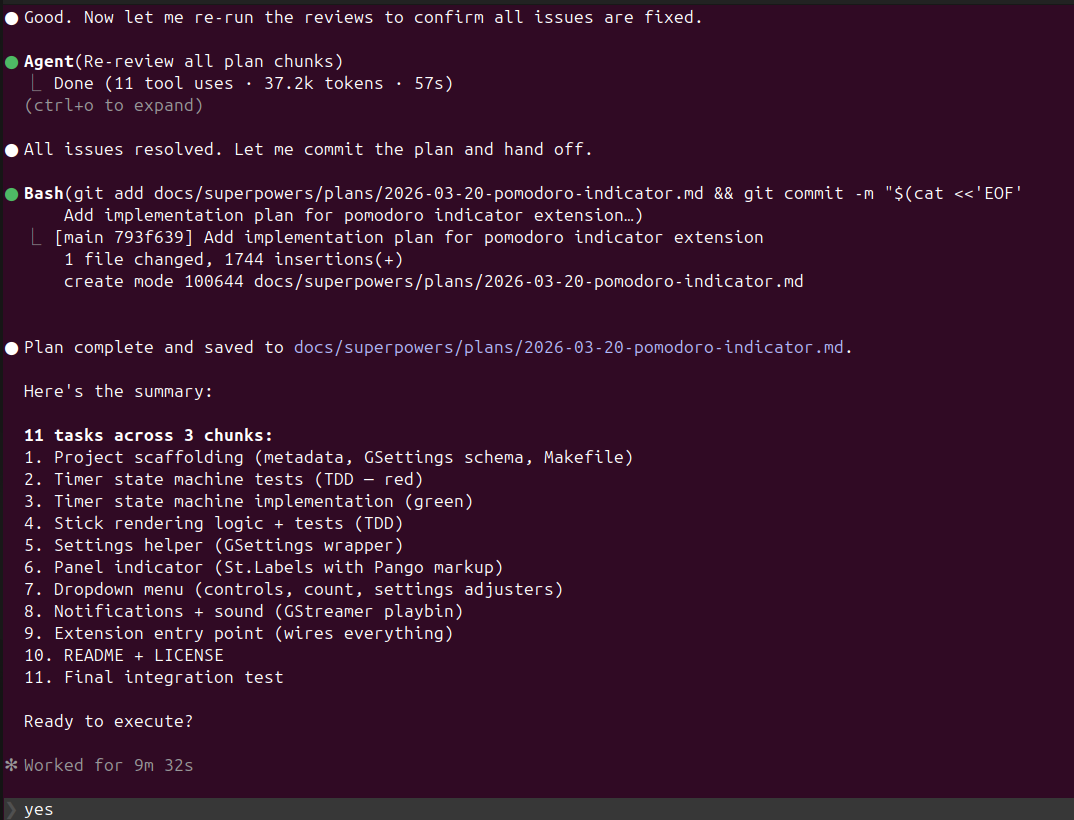
Sometimes it presents very detailed implementation alternatives with sketch code, which are sometimes hard to decide on at that level of design. Not gonna lie, I blindly say yes to them, thinking, ok if it does not work, I could have another brainstorming session later.
But it usually matches my granularity, and that is genuinely hard to do — and the /brainstorm skill is what makes it consistent.
The Trap I Learned to Avoid
I'm still learning this, but here's what's working: the quality of the plan depends almost entirely on the quality of your first few questions. I've had sessions where I got excited and had it search the web for every possible approach, every pattern, every framework. What I got back was what I now call "madness mode" — a sprawling, overconfident redesign that looked plausible but fell apart under its own weight.
The fix was simpler than I expected. Ask focused questions early. Set the scope. When those focused questions sit in the conversation context, they anchor everything that follows. Claude Code picks up on the level of detail you set and mirrors it throughout the session.
What This Really Means
The thing I keep coming back to is that planning with Claude Code — supercharged by the Superpowers /brainstorm skill — now feels like what I always wanted software design to feel like: I make the creative decisions, I set the direction, and the tedious parts — the information gathering, the structural reasoning, the detail work — happen in the flow of a normal conversation.
There are probably workflows I haven't discovered yet, and the ecosystem will keep evolving. But if you've been sleeping on planning because the early versions felt rigid, the Superpowers plugin is where to start. Install it, run /brainstorm, resist the urge to cover everything at once, and let the conversation build the plan.
That's where the real magic is, not in the code Claude writes, but in the thinking it helps you do before a single line gets changed.

Member discussion: